Screen-distance care for kids · ages 2–8

Little eyes,
safely looked after.

Guby is a gentle little owl that helps your child hold their phone a healthy distance away - quietly, in the background, with no nagging from you.

The best screen distance is no screen at all - we know. Guby is for the screen time that happens anyway.
Get it on Google Play
Free during early access.

On Android only. For iPhone families, we warmly recommend Apple's built-in Screen Distance feature - it does a similar job, right inside iOS.

“Hi! Let's give those eyes some room.”

How it works

Quiet protection, every screen

01

Guby looks after them quietly

Using the front camera, Guby gently senses when the screen comes too close to your child's eyes - no recording, no internet needed.

02

A friendly nudge

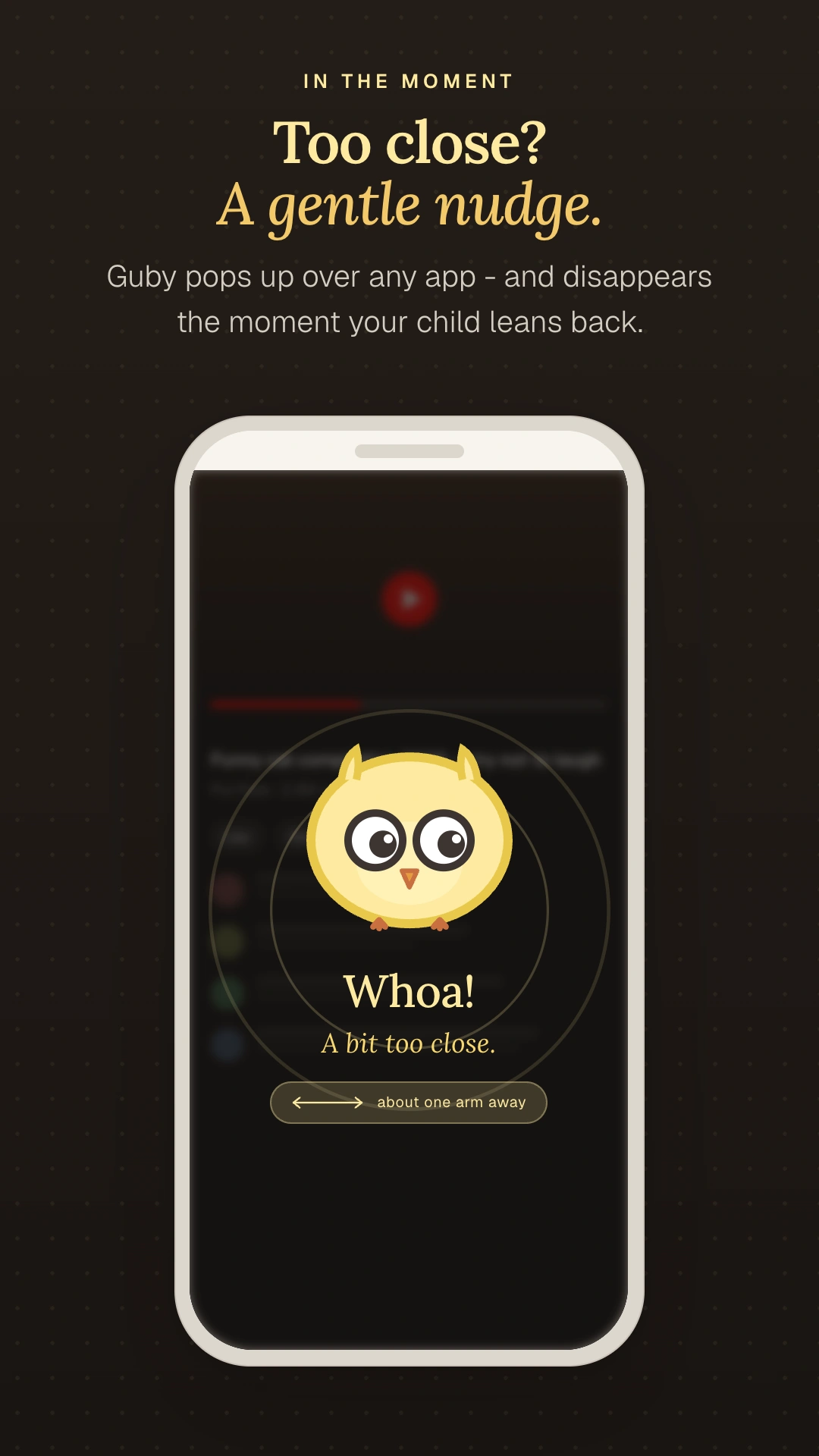
Guby pops up with a soft, playful reminder - and disappears the moment your child moves back to a healthy distance.

03

A calm weekly recap

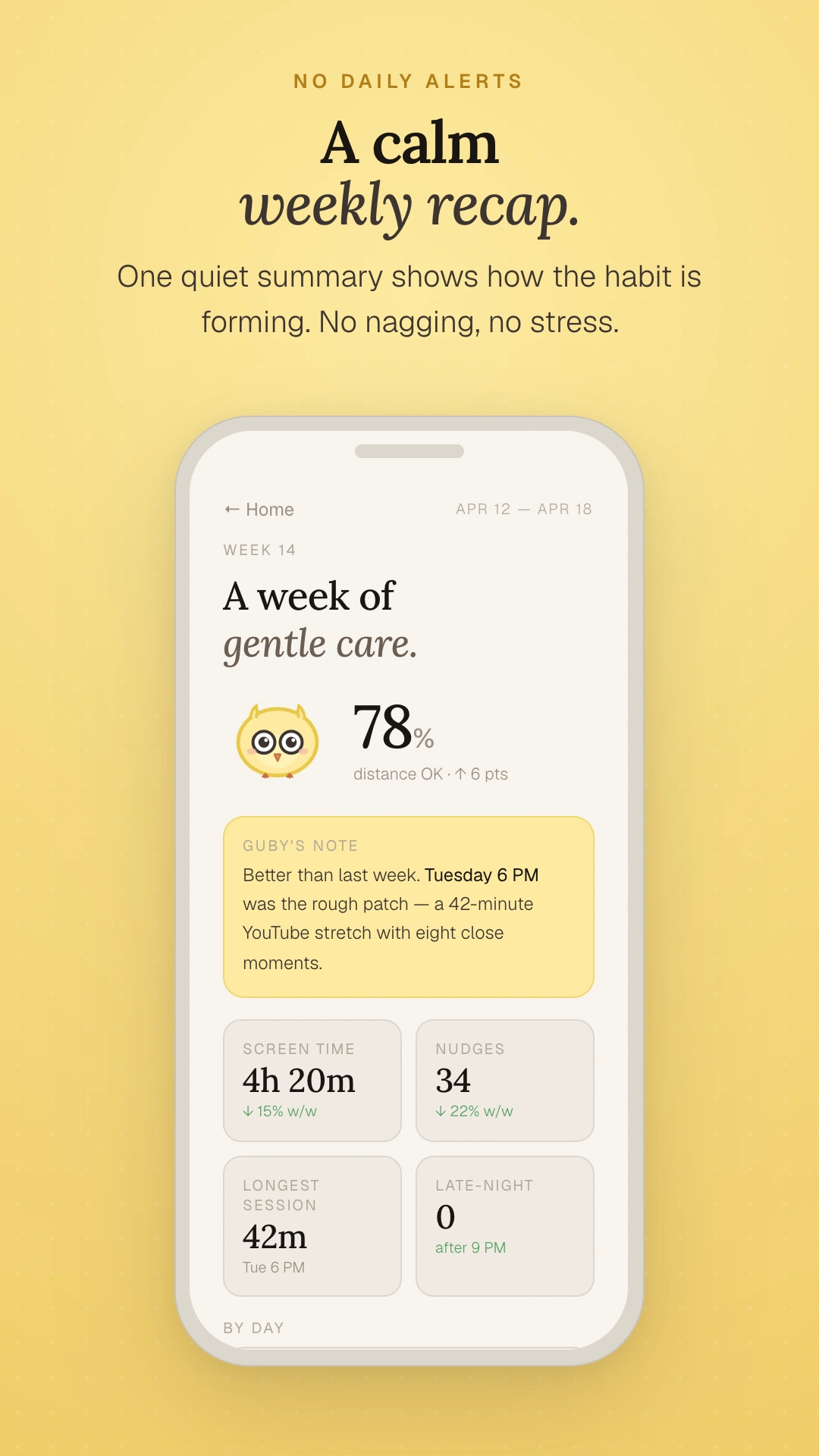
One quiet email each week shows how the habit is forming. No daily alerts, no stress, no notifications buzz.

Made for families with 2-to-8-year-olds, on Android phones and tablets.

PhonesTabletsFoldables

Requires Android 8.0 or newer · front camera

A peek inside

Calm by design

Three quiet screens your child and you will see most often.
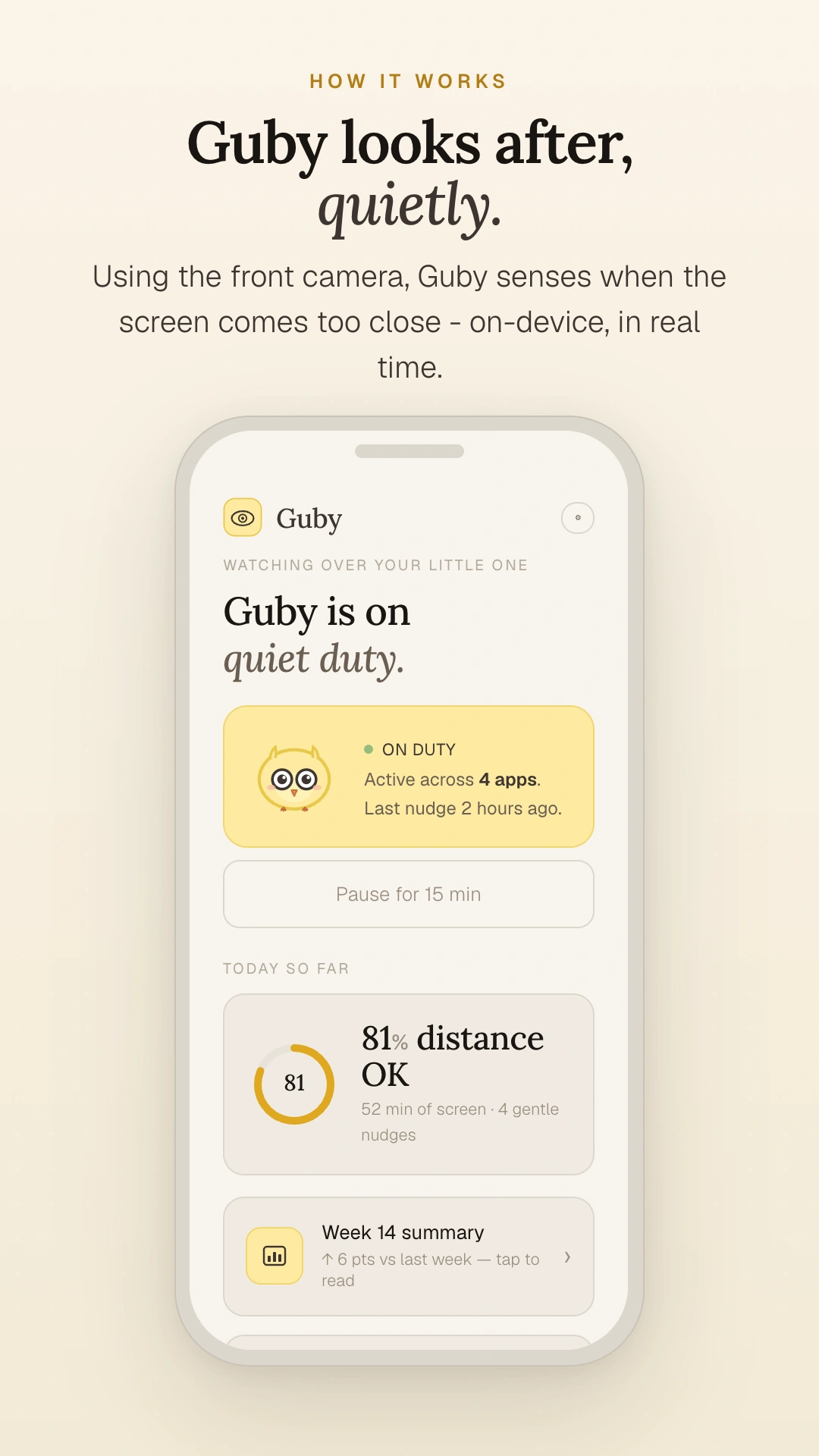
Guby Android app home screen showing 'Guby is on quiet duty', an ON DUTY status card, today's distance score, and a weekly summary link
HomeCalm status & today's count
Guby gentle nudge overlay appearing on the child's screen when held too close
NudgeSoft reminder, then it's gone
Guby weekly summary inside the app - healthy-distance rate, nudges, and trends across the past 7 days
Weekly recapOne quiet summary, in app
Your weekly email

Honest numbers, no alarm

Every week, a single calm note in your inbox - built from anonymous counts, never from photos.

Gubyhello@guby.app · to you@example.com

Tuesday was your child's best day

Eyes at a healthy distance 99.9% of screen time this week.

16 gentle nudges - each lasted about 11s before your child eased back.

35h 5m of screen time; longest single stretch 44m.

Sent to you@example.com. You can change recap day or unsubscribe inside Guby's settings.

Built for trust. Here's exactly what stays - and what we send.

On your device
Camera frames
Live distance estimation only. Never recorded. Never uploaded. Never shared.
Your child's identity
No face recognition. No profile. We can't pick your child out of a crowd because we never had their picture.
What they watch
We don't see, log, or transmit what's on the screen or which apps your child opens beyond your chosen list.
What we send (and why)
Anonymous distance counts
A daily tally of distance reminders and your healthy-distance rate - used to build your weekly email recap.
Anonymous feature usage
Which Guby features are used, with no link to a person - so we know what to improve.
Crash reports
Stack traces and device model when Guby crashes - so we can fix it.

No video. No photos. No identity. The numbers we receive describe how often Guby helped - not who Guby helped. Full details in our Privacy Policy, or read more on children's eye health on our blog.

Common questions

Things parents ask

Does Guby record video?
No - frames are analysed in real time and discarded immediately. Nothing from the camera is stored on your phone or uploaded anywhere.
Will it slow down or drain my phone?
Guby uses a lightweight on-device model, and most parents see no measurable battery impact. To go further, Guby lets you pick the apps your child typically uses (YouTube Kids, your favourite reader, etc.) - Guby then runs only when one of those apps is in the foreground. Even when active, Guby never tracks the content on screen or what your child watches inside those apps.
What about babies or older kids?
Guby is tuned for 2-to-8-year-olds. Younger faces are too small for the distance estimate to be reliable. Older kids usually need different conversations, not gentle nudges.
Does it work without internet?
Yes. The distance check is 100% on-device. Internet is only needed to send your weekly email recap.
What's in the weekly email?
Aggregate counts and trends - your healthy-distance rate, number of nudges, time-of-day patterns. No images, no identity. See the example above.
Why no iOS?
iOS doesn't allow the always-on camera + overlay model Guby needs to work the way we want. Apple's built-in Screen Distance does a similar job on iPhone.

For professionals

Do you guide families on screen habits?

If you're an eye-care professional or a school, we've written plain, honest pages on what Guby does, where its limits are, and how to point families to it.