A phone stand: the simplest fix for kids' screen distance
Reminding a small child to hold the phone back every two minutes never lasts. A cheap stand does the job quietly, while you get on with something else.
On this page
You move the phone back. Your four-year-old pulls it in again. You move it back. He pulls it in. Somewhere around the fifth round you give up, because the cartoon is more interesting than you are, and that's just how it goes.
Here is the thing nobody tells you. The fix isn't more reminding. It's a stand.
A small piece of plastic, or a cushion, or a propped-up book, that parks the screen at a sensible distance and keeps it there. It costs almost nothing, takes ten seconds to set up, and it solves the one problem that makes everything else hard: you can't be the distance police every single minute.
Why does distance even matter?
Quick version. Holding a screen very close, for long stretches, tires young eyes out, and a lot of close-up "near work" is one of the things researchers link to rising short-sightedness in children. It isn't the whole story, and one close video won't hurt anyone. But over months and years, distance is one of the few things a parent can actually change.
Most eye doctors suggest keeping a phone about an arm's length away, roughly 30 cm. If you want the full why, with the doctor-backed numbers and the reasons little ones drift so close, that lives in our guide on safe screen distance for children. This piece is about the easiest way to hold that distance without nagging.
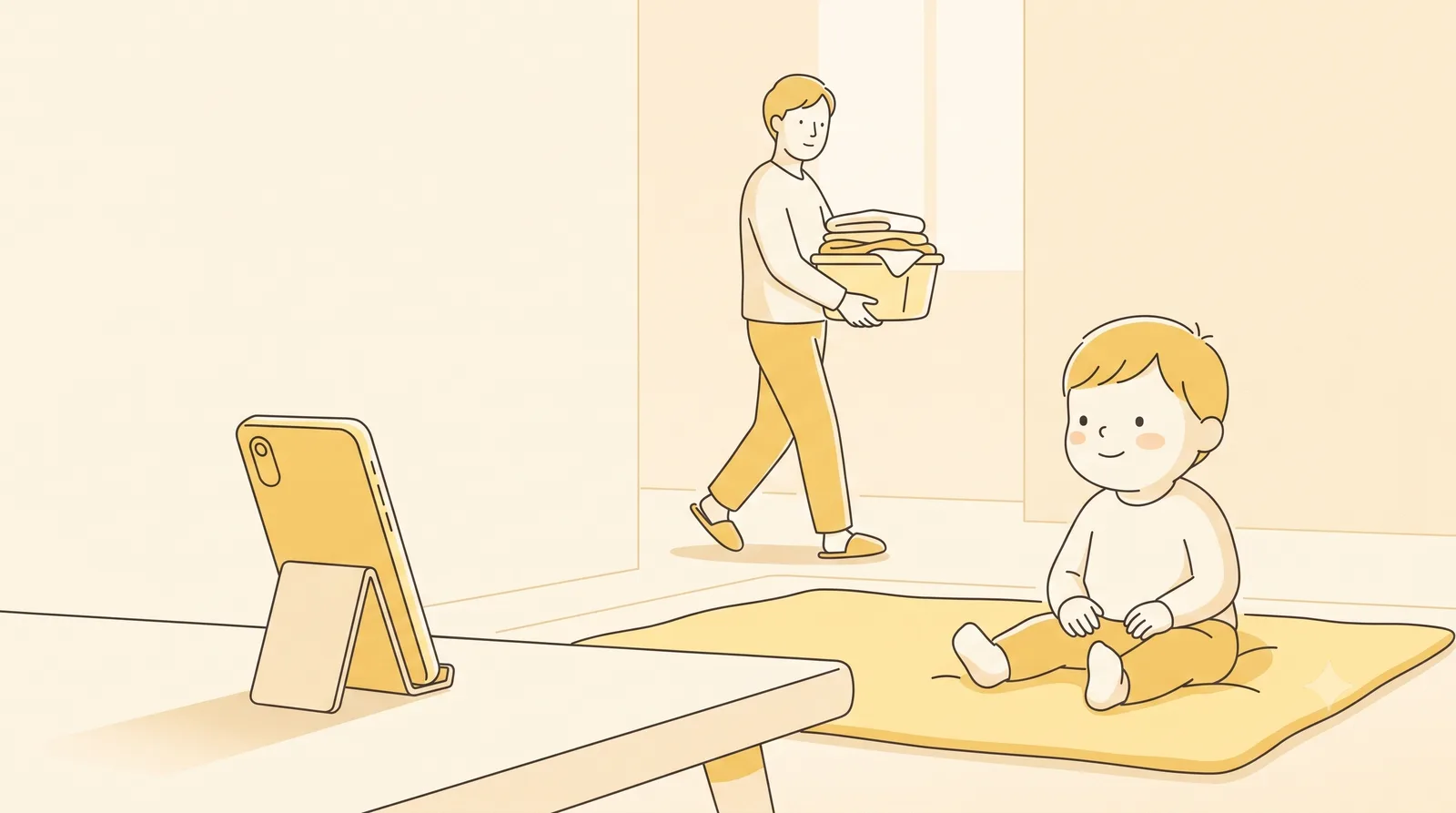
Why is a stand better than just reminding them?
Because reminding doesn't scale. A two-year-old can't judge distance and forgets the moment a video grabs them. A six-year-old means well and still drifts in. You, meanwhile, are cooking, or working, or just tired.
A stand takes you out of the loop. The screen sits where you set it, and there's nothing for the child to argue with. No "hold it further away" twenty times an evening. The distance is built into the furniture, so to speak.
That's the whole pitch. It's not clever. It's just lower effort than the alternative, and lower effort is the only kind of fix that survives a real, busy week.
What kind of phone stand works for a young child?
You don't need anything fancy or expensive. A few options, from "free, right now" to "worth buying":
- A propped cushion or a soft prop. Lean the phone against a firm cushion, a folded blanket, or a bean-bag wedge so the screen tilts up towards your child's face. Costs nothing, works on the floor or the sofa, and there are no hard edges if it tips over. Great for the under-fives.
- An adjustable gooseneck or tripod stand. A bendy clamp arm or a small tripod lets you set the height and angle exactly, and it stays put. Brilliant for the dinner table or a desk, and it keeps the screen back without anyone holding it. Look for a sturdy base so a determined toddler can't pull it over.
- A simple folding stand. The little fold-flat plastic or aluminium ones, the kind that prop a phone at an angle on a flat surface. Cheap, light, and easy to carry in a bag for the car or a restaurant. They keep the screen upright; they don't add much distance on their own, so pair one with sitting the child back a bit.
- A DIY cardboard prop. Cut a slot in a small sturdy box, or fold a thick piece of card into a triangle, and you've got a stand for free in two minutes. Surprisingly stable, easy to replace when it gets squashed, and your child can decorate it, which makes them oddly fond of using it.
There's no best one here. The best stand is the one that's already out and standing on the table when screen time starts.
How do you actually get a 2 to 8 year old to use it?
Setting up a stand is easy. Making it the default takes a tiny bit of habit-building, and it's worth it.
Put it where the screen time happens before you hand anything over. On the dinner table, propped on a desk, set on the floor a little way back. If the stand is already there, the child sits in front of it instead of curling around the phone.
Make it the normal way, not a punishment. "We watch on the stand" said calmly, every time, lands far better than swooping in to correct a child mid-cartoon. Children take a new rule much more easily at the start of something than halfway through it, so set the stand up with the new video, not in the middle of one.
The elbow rule still helps as a backup. If your child can hold or watch with their elbows resting easily at their sides, the screen is usually far enough. The moment they hunch and the elbows fold up, the screen has crept in. With a stand doing most of the work, you'll need that cue far less often.
What a stand can't do, and where a nudge helps
Here's the honest limit. A stand parks the screen back beautifully, right up until your child picks the phone up and walks off with it. Then you're back to short arms and a screen at the nose.
That's where a gentle digital reminder earns its place. On Android, our app Guby was made for exactly this age. It quietly checks the distance between your child's face and the screen, all on the phone itself, nothing recorded or sent. When the phone comes in too close, a friendly owl turns up and covers the screen, then steps aside the instant your child moves it back. No text to read, no telling-off, just a soft signal a four-year-old understands.
Think of it as the two halves of one fix. The stand handles the easy 80 percent, the screen-on-the-table time. The nudge covers the wandering moments the stand can't. Neither is a cure on its own, and neither needs to be. Between them, your child mostly stops doing the close-up thing without you having to say a word.
If you want a few more low-effort wins for the youngest ones, we've gathered some in our screen time tips for toddlers.
So before you buy anything clever, try the cushion. Prop the phone, sit your child back a little, and watch how much of the daily dance simply disappears. A stand is the cheapest piece of eye care you'll ever set up, and it works while you're busy doing something else.
Found this useful?
Send it to a parent who’d want it.
Related reading
The healthy-screen-habits checklist for kids
Seven small habits that protect young eyes, from arm's length to outdoor light to the screen-free wind-down before bed. A checklist you can actually keep.
children's eyes · screen time · screen distance

Reading distance for kids: books, tablets, and homework
Holding a book too close strains young eyes the same way a phone does. A simple elbow trick keeps the right distance, no measuring tape required.
children's eyes · screen distance