Setting up your child's first tablet, safely
Before you hand a small child their first tablet, fifteen minutes of setup saves you a hundred small arguments later. Here is the checklist, eyes first.
On this page
The tablet arrives, often as a birthday gift from a grandparent, and your four-year-old is already reaching for it before the box is fully open. You have maybe ten minutes before it becomes theirs in every practical sense.
Spend those ten minutes well. A bit of setup now, done once, quietly heads off a lot of the small daily friction later, the squinting, the screen pressed to the nose, the meltdown at bedtime when it gets taken away.
None of this is technical. You don't need to be the kind of parent who reads settings menus for fun. It's mostly common sense, in the right order, with eyes first because that's the part most people skip.
Where should a young child hold the tablet?
Start with distance, because it's the single thing that matters most and the easiest to get wrong.
Small children pull screens in close. Their arms are short, their focusing muscles are strong and tireless, and a bright, interesting screen is a magnet. Left to themselves, most under-fives end up with the tablet a hand-span from their face.
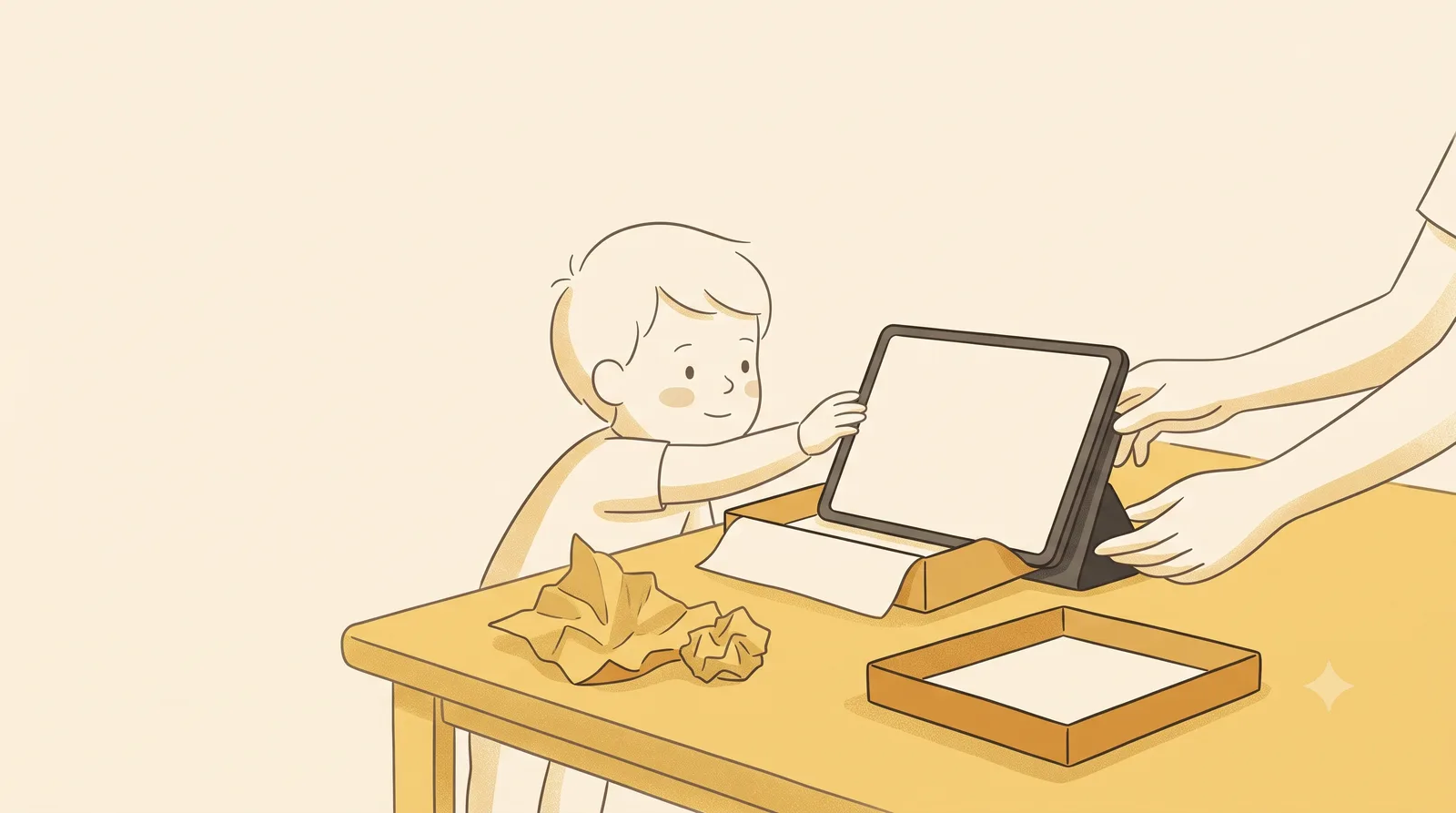
The fix isn't a number you can nag them into remembering. It's the setup around them. The American Academy of Ophthalmology suggests keeping a screen about an arm's length away and at a slight downward angle from the child's face. For a tablet, that means not in the hands, ideally, but propped on a surface a little way back.
So before the tablet is even unlocked, decide where it lives during screen time. On the table, leaning against something. On a stand. Anywhere but clutched at arm's-bend on the sofa. A cheap phone or tablet stand does more for your child's eyes than any setting you'll toggle, because it holds the distance without you having to say a word.
If you want the full reasoning, the doctor-backed numbers, and why little ones drift so close, we go into it properly in our guide to safe screen distance for children. For setup day, the short version is enough: park it back, tilt it up, and you've solved most of the problem before it starts.
Which tablet settings actually protect your child's eyes?
Now the screen itself. Four small changes, and you can do all of them in the time it takes the tablet to finish updating.
Brightness, matched to the room. A screen that glows much brighter than its surroundings makes the eyes work harder. The AAO's advice is to adjust contrast and brightness so the screen is comfortable against the light in the room. Turn auto-brightness on so the tablet does this itself as you move from a sunny balcony to a dim bedroom. Then nudge it down a notch from whatever feels "normal", because most of us run screens too bright.
Text size, bumped up. Bigger text means your child doesn't lean in to make sense of it. Every tablet has a display or accessibility setting to enlarge fonts and icons. Push it up. Nobody ever complained that the buttons were too easy to tap.
Night or warm mode, on a schedule. Most tablets can shift to warmer, dimmer colours in the evening. Set it to come on automatically a couple of hours before bed. It won't transform anything on its own, but it's free and it costs you nothing once it's set.
A real volume cap and a screen-time limit. Buried in the settings of every modern tablet is a parental-controls or digital-wellbeing section where you can cap how long apps run each day and set a "downtime" window. Switch it on. It's far kinder to have the tablet say "that's enough for today" than to be the one prising it from small hands every evening.
A quick honest note. None of these settings make a screen good for tiny eyes, and no setting minds the distance for you the moment your child stands up and wanders off with the tablet. They lower the strain at the edges. The real protection is still distance, time, and what's actually on the screen.
What should you put on it, and what should you leave off?
A tablet handed to a small child with the whole app store open is a different object from one set up with care. The setup is what makes it yours, not theirs entirely.
Build a small, parent-chosen home screen. A handful of apps you've actually looked at, not whatever auto-installed or whatever a louder app suggested. For the two-to-five group, the American Academy of Pediatrics suggests roughly an hour a day of high-quality programming, ideally shared with a parent alongside rather than alone. Choose for slow and gentle over loud and fast. The frantic, ad-stuffed stuff trains a child to want the next jolt, and it's harder to walk away from.
Turn off in-app purchases and put the store behind a password while you're in the settings. A four-year-old tapping "buy" forty times is a story every parent eventually has, and it's avoidable.
In India, a lot of first tablets are shared, an older cousin's hand-me-down, a parent's spare. If that's you, set up a separate child profile or a kids' space so your work apps, messages, and the rest stay out of small reach. Most Android tablets have this built in.
This is also where Guby fits, if the tablet is an Android one and your child is somewhere in the two-to-eight range. It's a free app that minds the distance for you. Using the front camera, entirely on the device, with nothing recorded or sent, it checks how close the screen is to your child's face. When the tablet drifts in too near, a friendly owl gently covers the screen and steps aside the moment your child leans back. You pick which apps it's active in, and it rests the rest of the time. It lends a hand with the evening light too: if the tablet has a built-in night-light setting, Guby nudges you to switch it on, and if it doesn't, Guby warms the screen with its own soft yellow tint once the room dims. Think of it as the bit that handles the wandering moments a stand can't, a quiet backstop rather than a babysitter.
How do you keep screens from wrecking bedtime?
This is the one parents wish they'd set up on day one.
Screens late in the evening are bad news for sleep, and not only because the show is exciting. The light from a screen can suppress melatonin, the hormone that tells the body it's time to wind down. The AAP's plain advice is to turn off all screens at least sixty minutes before bedtime and to keep screens out of the bedroom overnight.
So decide the cut-off now, while you're setting things up, not in the heat of a bedtime standoff. The tablet's downtime schedule can do the enforcing for you, switching most apps off an hour before bed so you're not the bad guy. And the tablet sleeps somewhere outside the bedroom, charging in the kitchen or the hall, the same as the grown-ups' phones ideally.
One more small habit worth building from the start. Eye doctors suggest looking up and away from a near screen now and then to rest the focusing muscles, the idea behind the well-known 20-20-20 rule: every twenty minutes or so, look at something far off for twenty seconds. A toddler won't follow a timer, but you can build in natural breaks, pausing the show to point out a bird at the window, or simply ending one episode before starting another.
And the cheapest eye care of all isn't on the tablet at all. Time outdoors. Spending time outside in early childhood is linked to slower progression of short-sightedness, so the most useful thing you can do after the tablet is set up is to put it down and take your child to the park.
The five-minute version
If you only do a few things on setup day, do these. Decide where the tablet sits during screen time, propped back and tilted up, not in the hands. Turn on auto-brightness and bump the text size up. Build a small home screen of apps you've actually checked, with the store locked. Set a daily time limit and a downtime window that switches screens off an hour before bed. And keep the tablet out of the bedroom at night.
A first tablet doesn't have to be a thing you fight about every day. Set up with a little thought, it can mostly just sit on its stand, at a sensible distance, switching itself off at the right time, while your child enjoys something good and you get on with the evening. For a few more low-effort wins with the youngest ones, we've gathered them in our screen time tips for toddlers.
A last, honest word. This is general guidance, not medical advice, and every child is different. If your little one squints, sits unusually close even with a stand, or rubs their eyes a lot, talk to your child's eye doctor.
Found this useful?
Send it to a parent who’d want it.
Related reading
The healthy-screen-habits checklist for kids
Seven small habits that protect young eyes, from arm's length to outdoor light to the screen-free wind-down before bed. A checklist you can actually keep.
children's eyes · screen time · screen distance
How far should a child sit from the TV?
Sitting close to the telly won't ruin your child's eyes, despite what your grandmother said. But it can quietly tell you something worth knowing.
children's eyes · screen distance · screen time